
Why are the incorrect tariffs being used in the proposal?
If the tariffs in the proposal do not match the ones you've set up, it's likely you're using the wrong self-consumption method as these use separate tariffs.
To fix this, follow these steps:
- Navigate to the Financial task
- Select Financial inputs in the top right
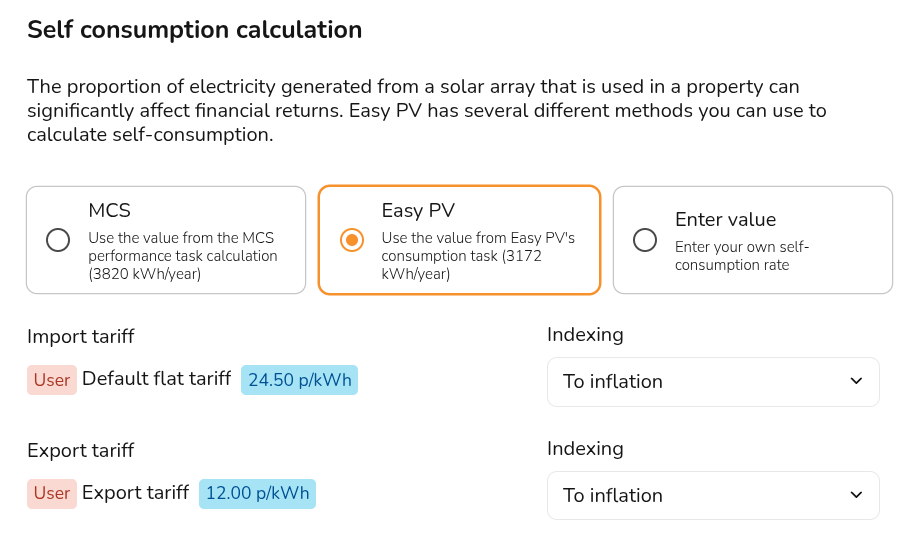
- Under self-consumption, you can see the method selected and which tariffs are being used. Make sure you have both the right tariffs and method selected there:
- Save and exit
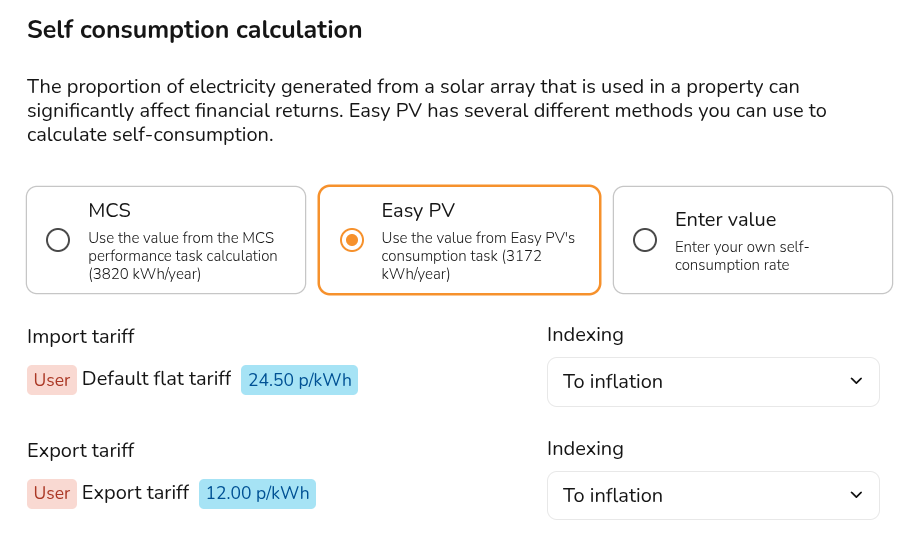
The tariffs you configure in the Consumption task will only be used for the Easy PV self-consumption calculation. It is not possible to use variable rate tariffs with the MCS or Enter value methods. Read more about that here.