
Choosing a design mode
When you first create a project you will get the choice of the which design mode you would like to use. The design mode affects how you model the roofs you plan to put panels on.
Demo
Watch the same property be designed in each design mode to see each of them in action.
Design modes
In Easy PV there are four options:
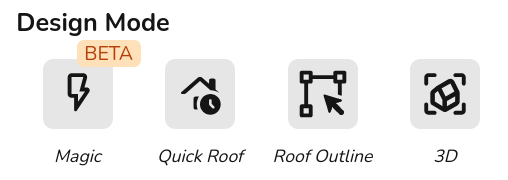
3D
- Create 3D property model by designing the roof from a satellite image and dimensions
- Model obstructions and nearby buildings or trees that may cast shade on the roofs you're working on to get automatic shade analysis and improve the accuracy of the performance calculations
- Automatically calculate scaffolding costs if using automatic pricing calculator
Learn more:
Magic
- Create an automatic 3D design - works out the height and pitch of buildings and identifies any obstructions
- Three free magic designs per day for standard users and unlimited for pro
- Will require some adjustments for accuracy
Roof outline
- Create roof model by outlining the roof from a satellite image and adjust the dimensions in the roofs task
- 2D model so requires manual sunpath diagrams
Quick Roof
- Create 2D roof using dimensions, pitch, orientation and tile type, can also spec ground mount systems
- Does not use satellite imagery so a good option if the satellite imagery isn't usable
Learn more: Intro to Quick Roof.
Want to know more?
Contact Support: If you've got further questions, get in touch with our support team at help@easy-pv.co.uk (UK) or help@easy-pv.ie (IE). If you are experiencing a bug, to help us look into your issue faster, please include the email address of your account, the name of the project and screenshots of any unexpected behaviour.