
Inverter task
In this task you select the inverter and batteries you'd like to use and how many panels are allocated to each MPPT.
Choosing an inverter

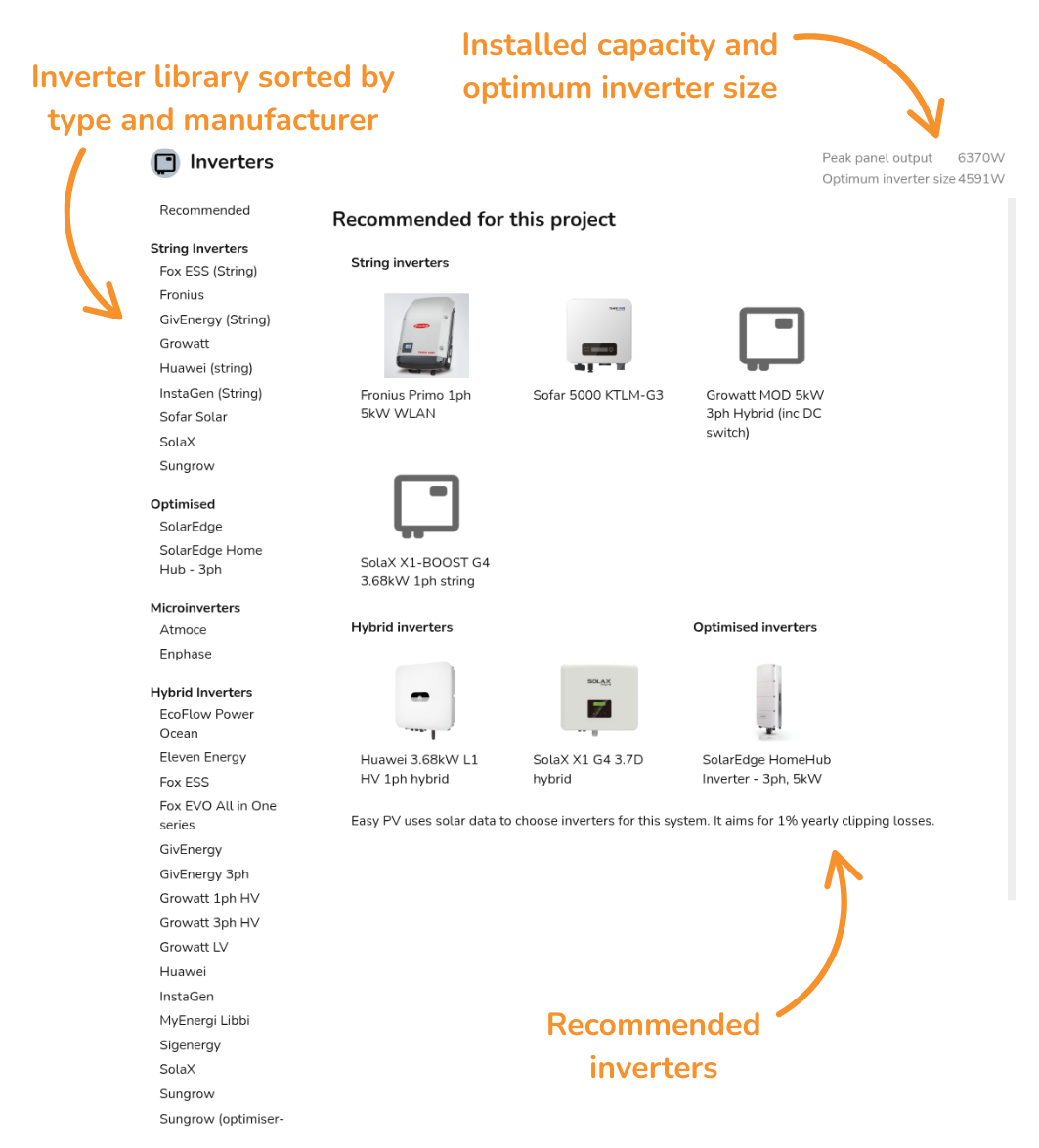
When you open the inverter task, you'll be prompted to select an inverter to use. A menu will pop up when you open the task with the following information:
- Inverter recommendations: Inverter recommendations for the project - choose from string, hybrid, optimised, microinverters and AC-coupled.
- Peak panel output and optimum inverter size: The installed capacity of the system and the estimated optimum inverter size based on solar data for project location.
- List of inverter manufacturers: List of all inverter
manufacturers,manufacturers stocked by Midsummer, sorted by type.
Can't find what you're looking for? See how to add custom inverters.
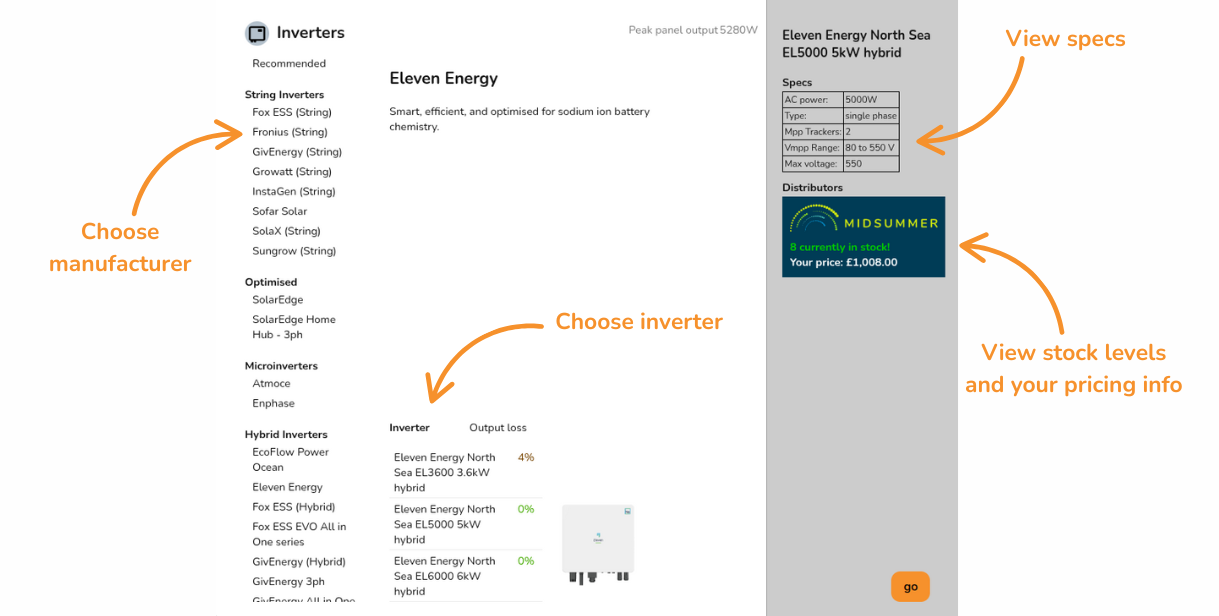
WhenIf viewingyou invertersselect a manufacturer from the library on the left, you can then see all the following:
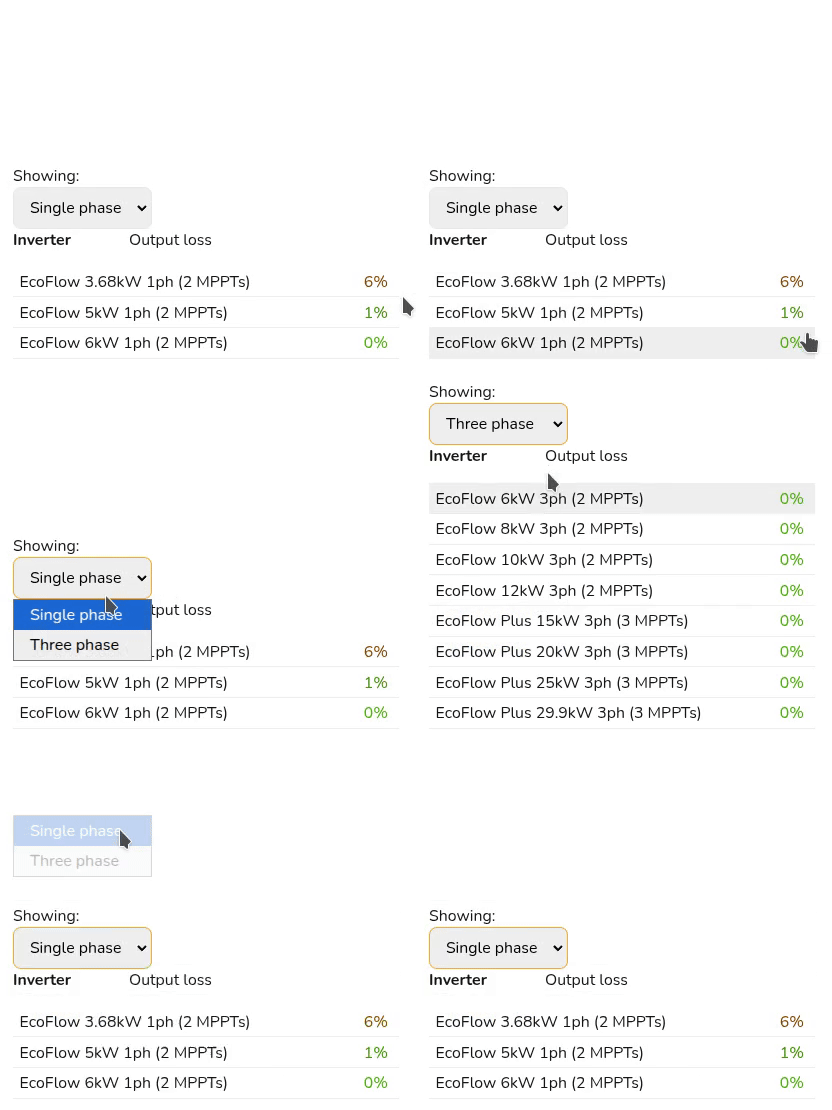
- Choose between single phase and three phase inverters
that Midsummer stockfor that manufacturer.You - Output loss percentage which you can use to choose an appropriately sized inverter.
- Once selected, on the right you can see the specs for the inverter and Midsummer stock and price
information.information. Click on the Midsummer box to view the full listing with datasheets, warranty and more. - Click Go in the bottom right once you've chosen your inverter to add it to the project.
Connect your Midsummer Wholesale account for accurate pricing. Not registered? Sign up here.
Adding battery storage
Choose hybrid inverter or add string inverter and then AC coupled unit. Select battery.
Panel allocation
Once you've chosen your inverter, the next step is to select how many panels you want for each MPPT. In the top right you can see how many panels you need to allocate and on each inverter you will see the different combinations of these panels that can be allocated to each string.
If selecting from the recommended inverters, this step will be completed for you.
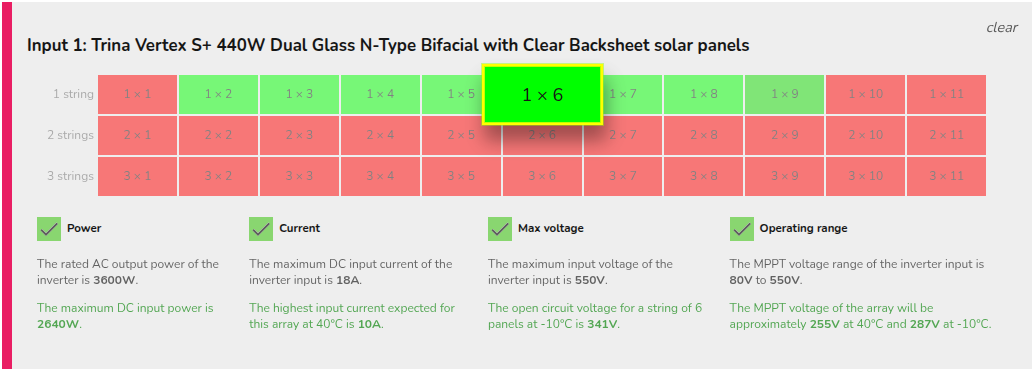
Below shows an example with 12 panels, allocating 1x6 to each input:
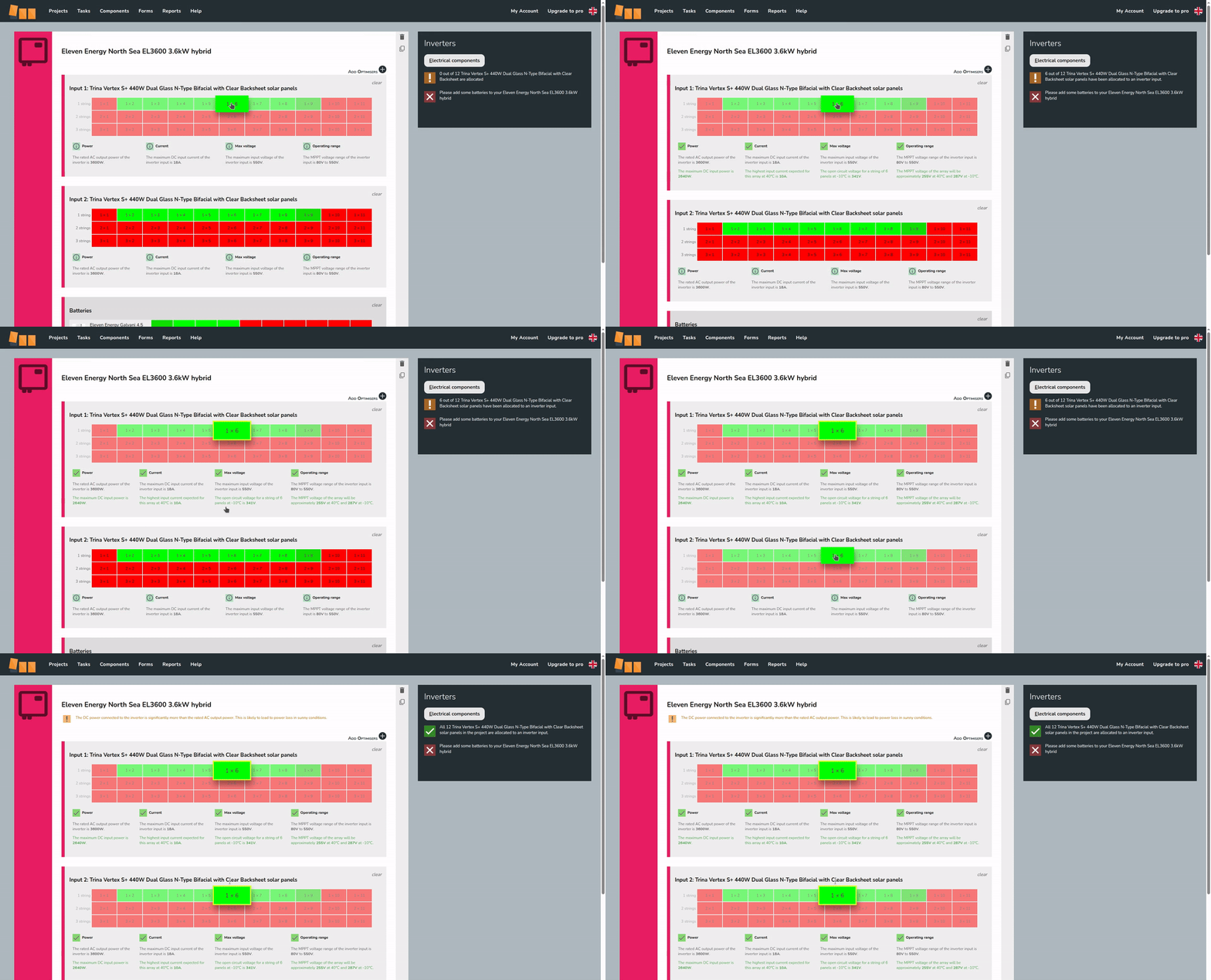
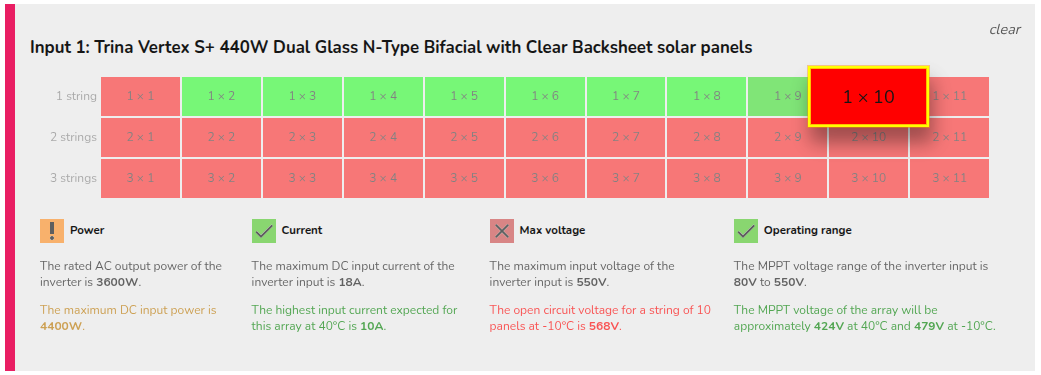
The number of inputs available will vary depending on the size of the inverter. For each input, some options will show in red and others in green. When selecting a stringing option, electrical compatibility information will display below. Here you can see which limiting factor for that input is or isn't satisfied with the selected arrangement.
|
Not electrically viable
|
|
|
Electrically viable
|
 |


Panel allocation is then completed in the performance task.
Multiple inverters
Select one and add at bottom