
Electrical task
This is the final stage of the kit builder and is where you specify isolators, cables, meters and any other kit needed in the system. Most components are pre-selected automatically based on your panel and inverter choices. You can review and adjust them as needed.
DC Isolators
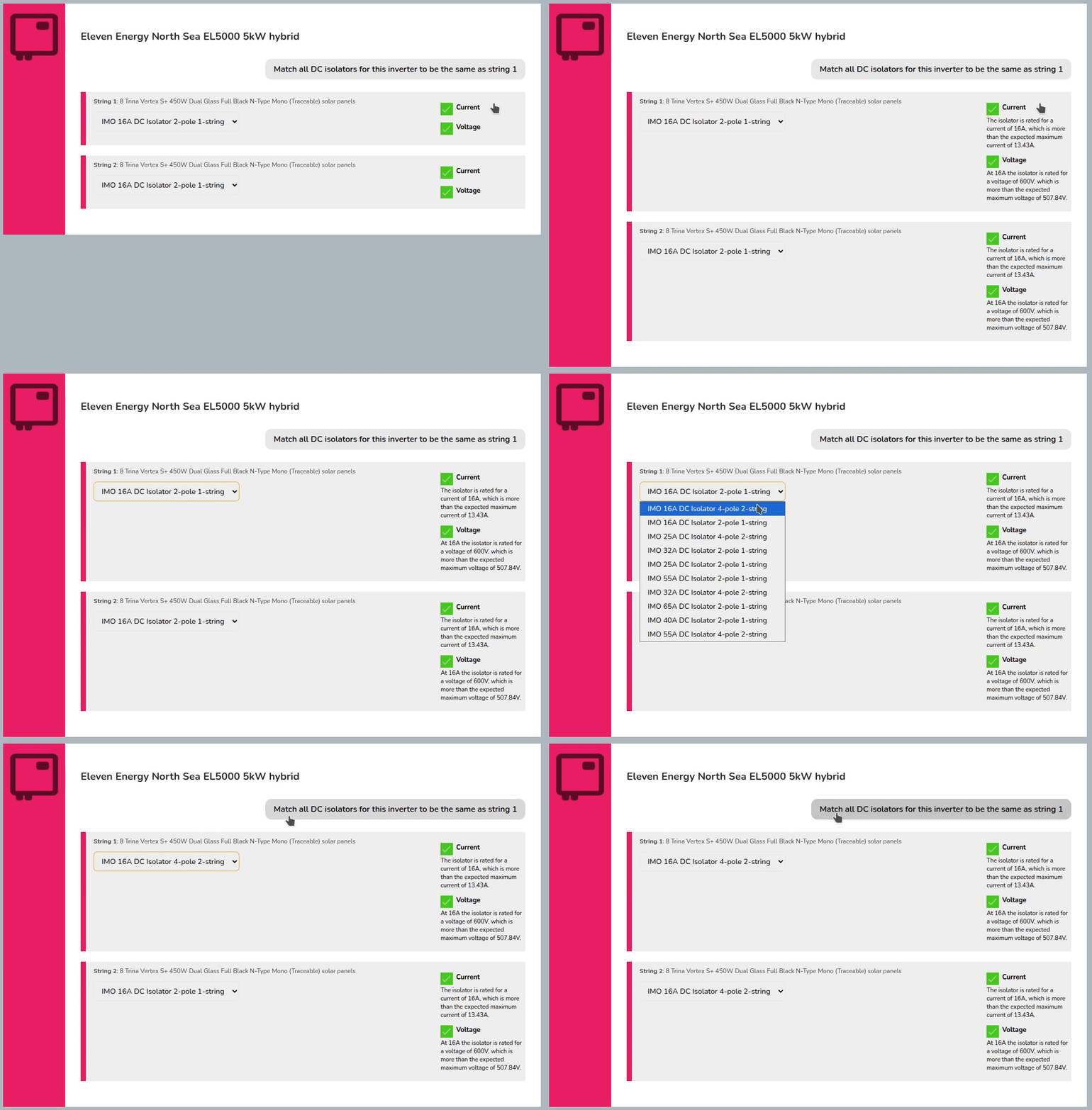
Choose a DC isolator for each inverter input.
- Click on the Current and Voltage sections to view full details.
- Use Match all DC isolators... button to bulk edit DC isolators for that inverter.
Once selected, you can click onto the Cables section
DC cable and connectors
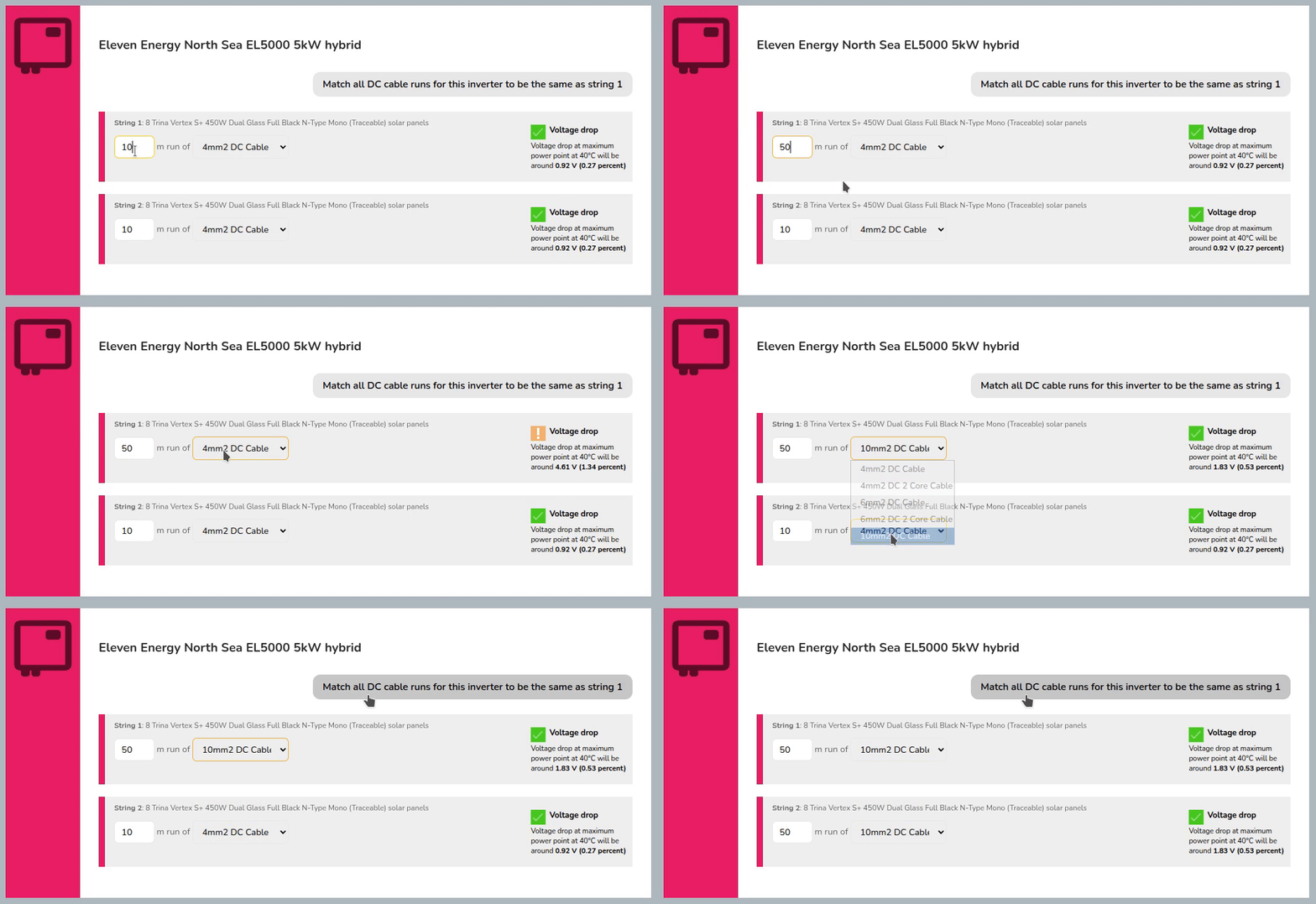
Specify the length of run and cable cross section of the DC cable to check voltage drop.
- Enter the DC cable run lengths and select the size.
- Use Match all DC cable runs... button to bulk edit cable size and lengths for that inverter.
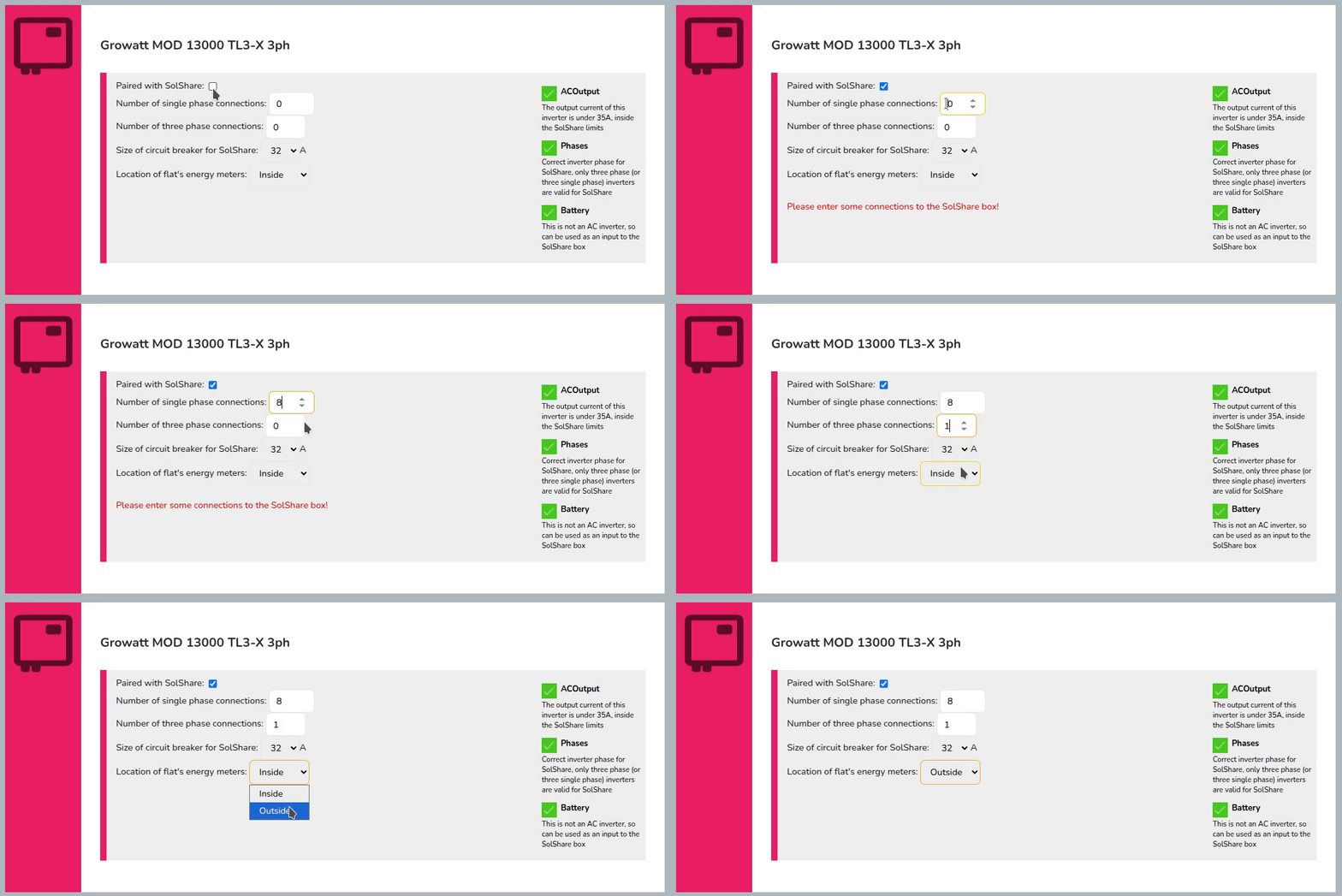
SolShare
Select which inverters you wish to be paired with SolShare and how many connections the SolShare will be supplying. If the selected inverter is not compatible with Solshare, you will not be able to add one.
AC Isolators
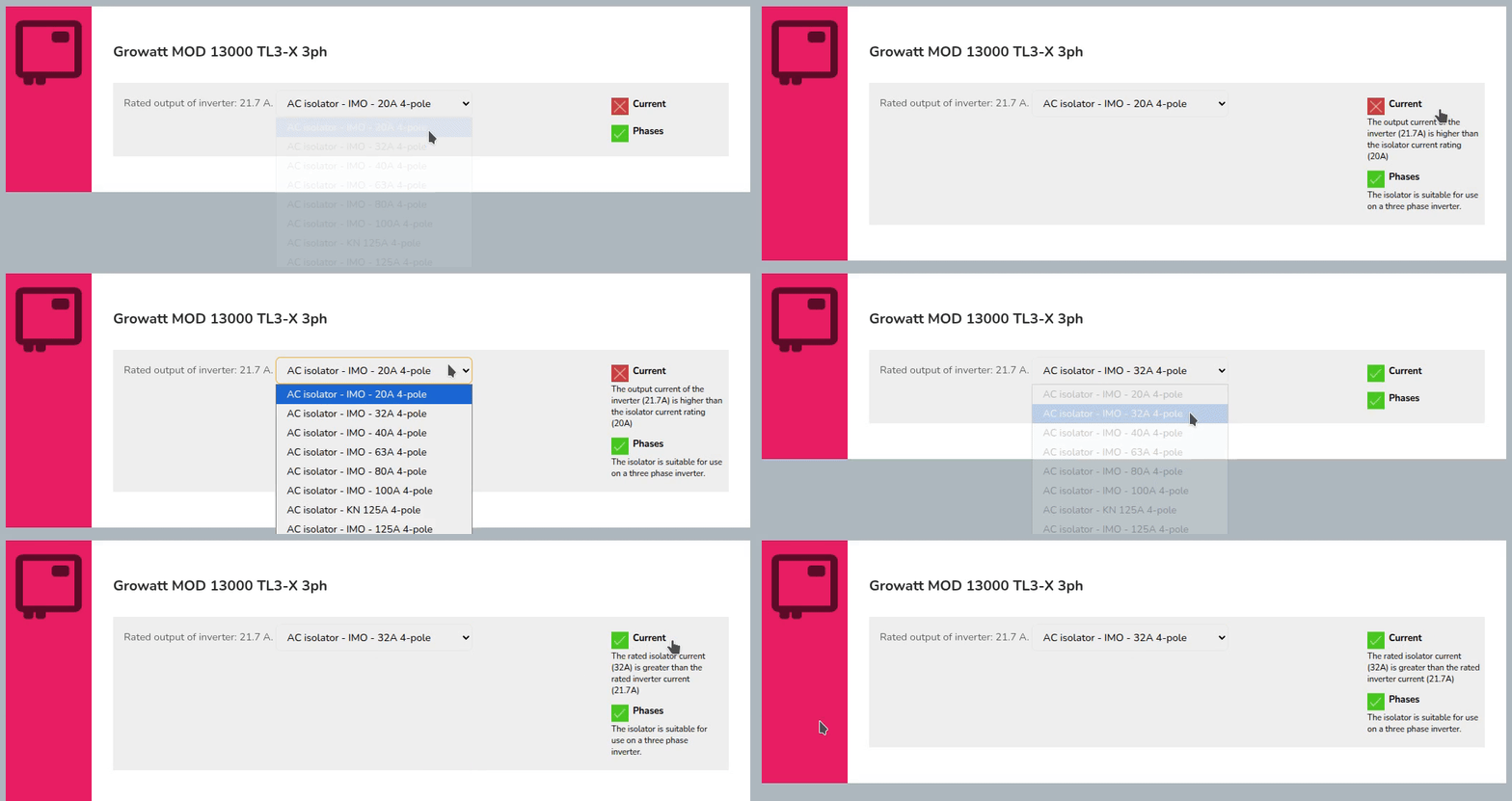
Specify an appropriate AC isolator for each inverter in your project, and check that it has an appropriate current rating.
Meter
In this section, you'll be able to select from compatible generation meters.
If no meters supplied by Midsummer are compatible, you will only have the option to select No meter thanks. You can also add a custom meter.
Extras
Add monitoring, immersion controllers, battery storage and accessories to your project.
Any extras required for components you've already added to the system will be selected automatically. Increase the count of any other extras you'd like included in the project.