
Warm Homes loans in Customer Proposals (WIP)
easy-pv.co.uk
Easy PV supports the Warm Homes Loan Scheme (WHLS). You include Warm Homes loan options in your proposals, with a page that explains the scheme to your customers.
How to set up a Warm Homes loan
To set up a Warm Homes loan in Easy PV, you will need to create a payment option.
New payment options can be created within projects through the financial task on the Payment tab or by navigating to your financial settings. Just click + New payment option and follow the steps outlined below.
1. Overview
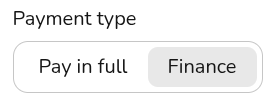
Enter the name you'd like to appear on the proposal for this loan option and set the scope for where you'll be able to select it. Select the payment type as Finance.
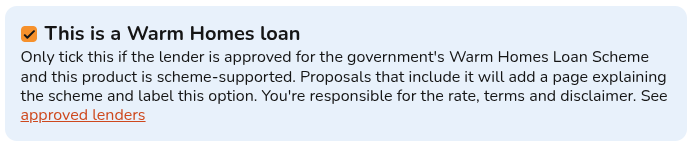
Tick the box to indicate that this lender is participating in the WHLS.
2. Payment stages
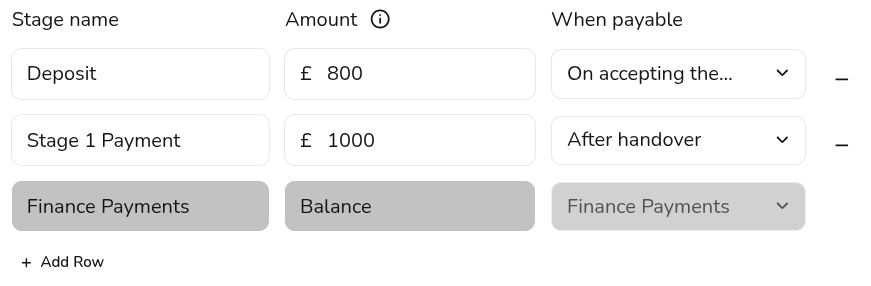
In this section, you can configure the payment stages for the quote. The final (or only) stage will be 'Finance Payments'. If the cost of the system is more than the loan amount, you'll need to add rows to define additional payment stages.
3. Finance
Use this section to select your finance provider and set up payment details, such as repayment terms and interest rates.
Learn how to configure finance details
The Customer Proposal
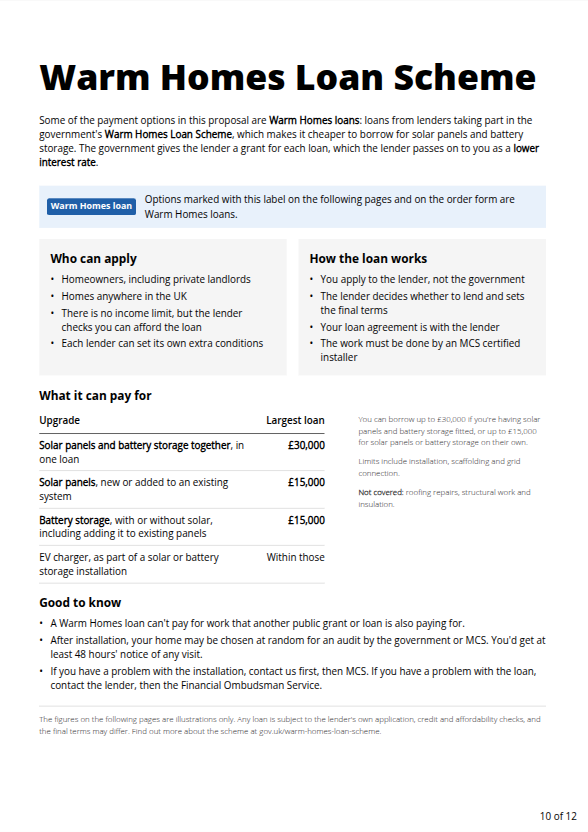
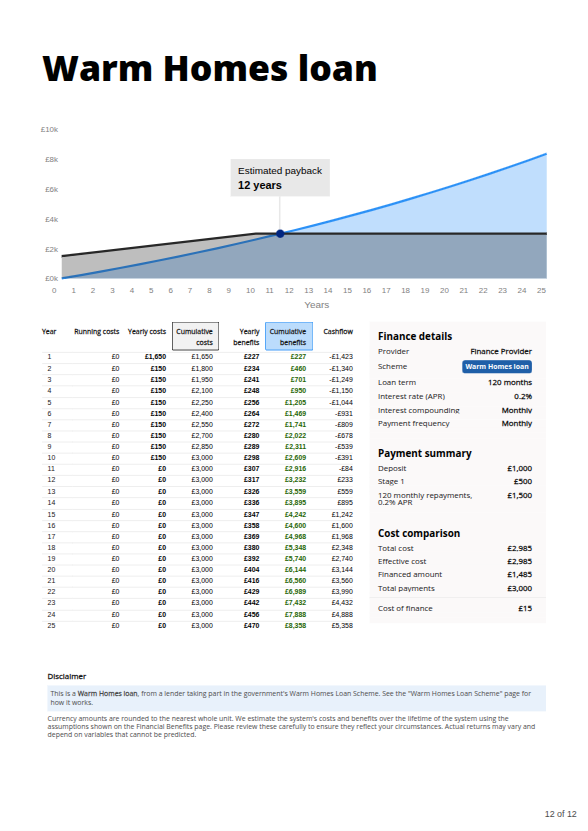
Warm Homes Loan tag displayed next to the payment option and a dedicated informational page outlining details of the Warm Homes Loan Scheme.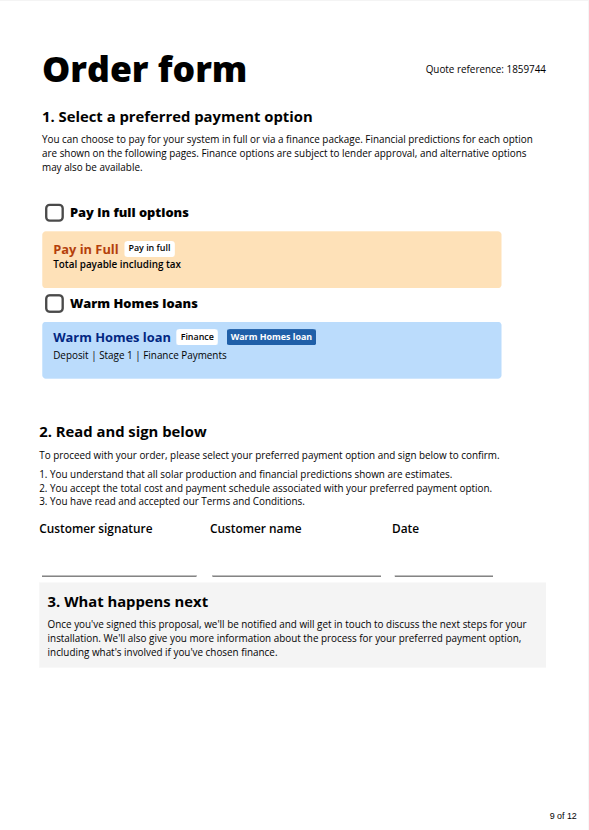
We’re expanding our WHLS support! Soon, you’ll be able to include Warm Homes loan options from Phoenix Finance to a project in just a few clicks. Sign up now and once you’re approved, you can offer Warm Homes loans through the Phoenix portal straight away.
Still Need Help? / Want to know more?
Contact Support: If you've got further questions, get in touch with our support team at help@easy-pv.co.uk (UK). If you are experiencing a bug, to help us look into your issue faster, please include the email address of your account, the name of the project and screenshots of any unexpected behaviour.