
Phoenix finance options in Easy PV
Setting up Phoenix in Easy PV
Step 1: Sign up for Phoenix
You can apply to Phoenix to offer finance through Easy PV. To get started:
- Standard users: Go to
My Account>Preferences>Financial. Scroll down to Providers and clickApply now. - Pro users: Go to
Pro Account Settings>Financial. Scroll down to Providers and clickApply now.
If you are in a Pro team, only team owners can apply via Pro account settings.
Step 2: Approval from Phoenix
Once approved, we will link your Phoenix trader account with your Easy PV account.
Step 3: Configure in Easy PV
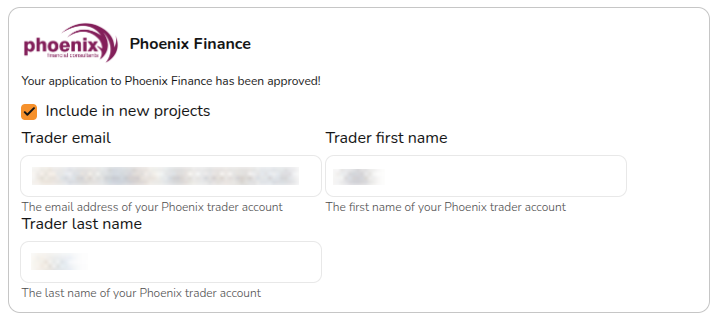
In your financial settings, you will see your Phoenix finance settings.
- Standard users:
My Account>Preferences>Financial. Scroll down to Providers. - Pro users:
Pro Account Settings>Financial. Scroll down to Providers.
Ticking 'include in new projects' will enable Phoenix as a finance option to any new projects you create going forward.
Using Phoenix finance options in a project
Step 4: Enable Phoenix in a project
Navigate to Financial task > Financial inputs > Payment options. You will then see Phoenix as a finance option alongside any other payment options you have configured.
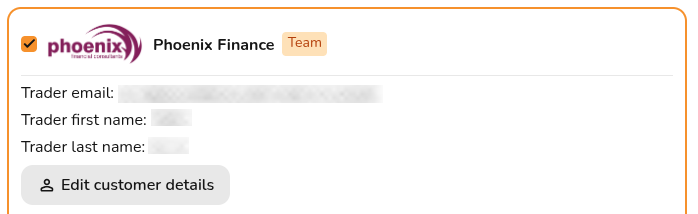
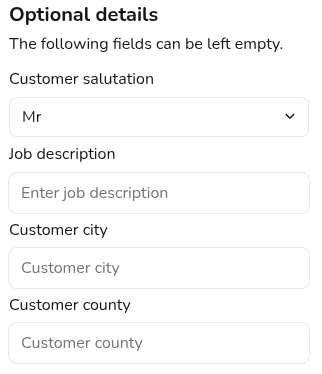
Tick the Phoenix Finance option. Here you will have the option to enter some additional details:
Click Save & Exit in the bottom right or navigate to the next section in the menu on the left.
On the Projection tab, you can navigate between the available finance options from Phoenix on the right-hand sidebar to see the payback for each option.
Step 5: Generate proposal
When you are ready to send the Customer Proposal, click this message to generate a Phoenix quote. This will create a quote in your Phoenix account and send a copy of the Customer Proposal to Phoenix.
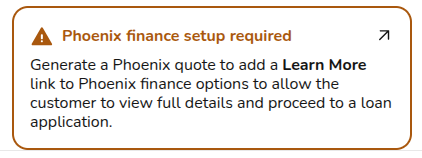
The customer will be notified about the Phoenix quote by email and SMS. It will also add a Learn More link to each Phoenix finance option in the Customer Proposal, allowing the customer to view full details and proceed to a loan application.
Want to know more?
Contact Support: If you've got further questions, get in touch with our support team at help@easy-pv.co.uk (UK) or help@easy-pv.ie (IE).