
How can I share components with other people in my pro team?
- Navigate to My Components
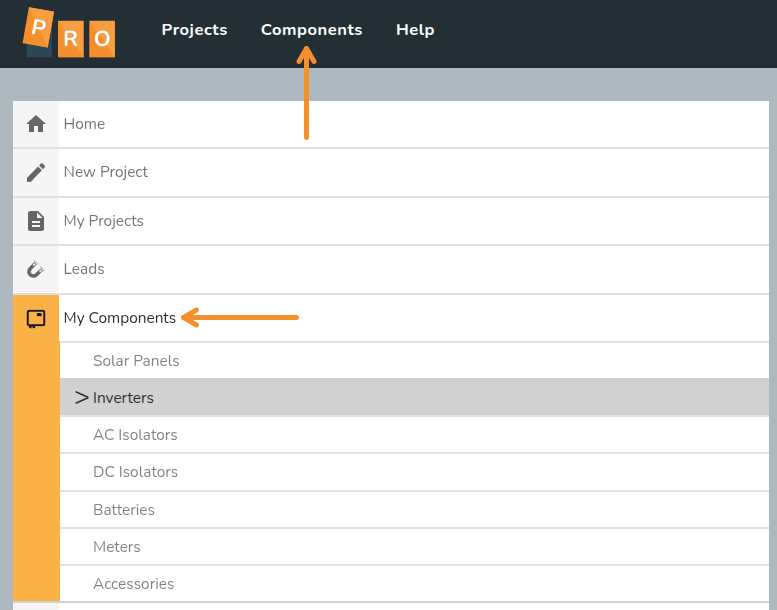
- Select the component type and component you want to share
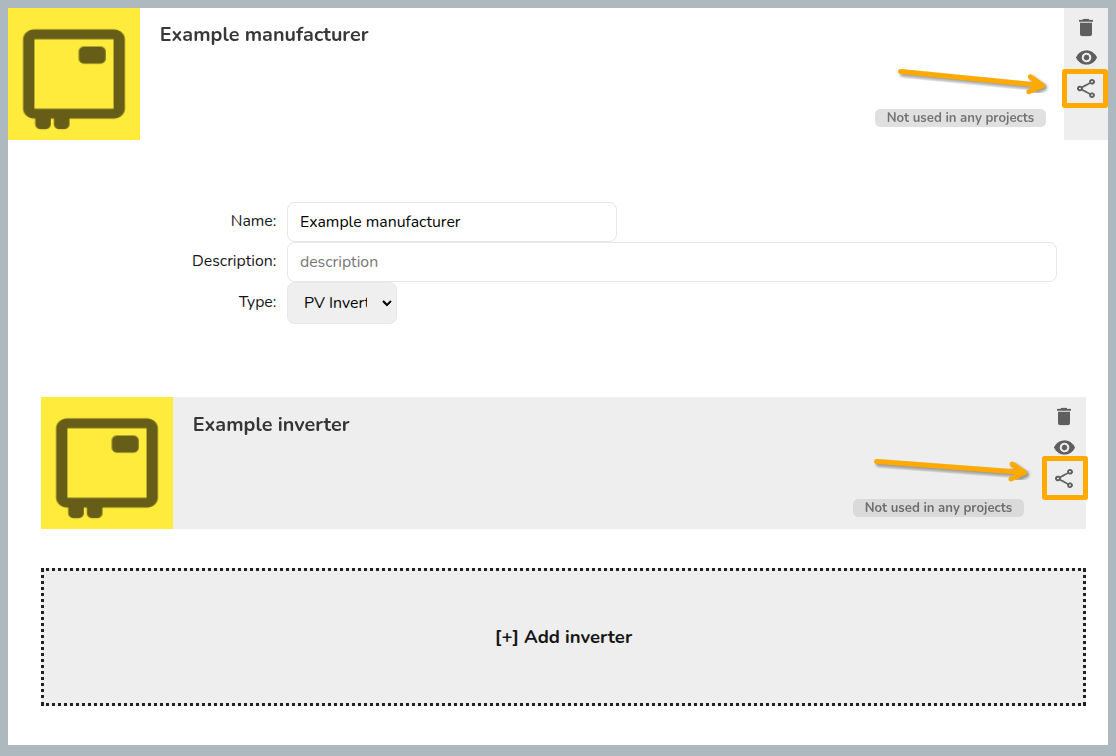
- Click on the share icon (three dots connected by two lines)
- Selected the permissions you'd like to give
- Click save
For inverters and solar panels, you will need to make sure you save both the manufacturer and the individual components.
Read more about sharing projects and components.