**Can't find what you're looking for?** Add [custom panels](https://help.easy-pv.co.uk/books/creating-components/page/custom-solar-panels "Custom solar panels").
Once selected, on the right you can see the **specs for the panel** and **[Midsummer](https://midsummerwholesale.co.uk/) stock and price information**. Click on the Midsummer box to view the full listing with datasheets, warranty and more. Click `Select` in the bottom right once you've chosen your panel [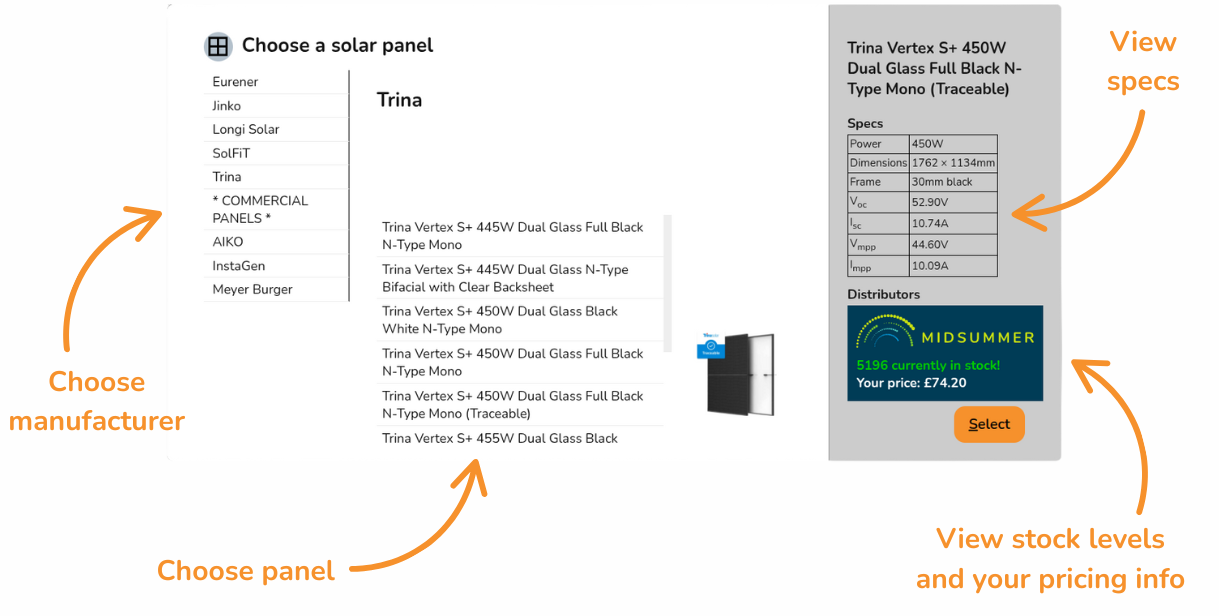](https://help.easy-pv.co.uk/uploads/images/gallery/2026-01/YMz5LmmznRGoDrzA-select-from-manufacturers.png)**Tip**: [Connect your Midsummer Wholesale account](https://help.easy-pv.co.uk/books/getting-started-f2k/page/connecting-to-midsummer "Connecting to Midsummer") for accurate pricing. Not registered? [Sign up here](https://midsummerwholesale.co.uk/register).
Once you have selected a panel, you can click `change` on the left-hand menu to reopen the panel menu. [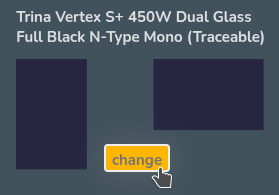](https://help.easy-pv.co.uk/uploads/images/gallery/2026-01/qCVyUioOT2ZdlGLB-image.png) ## Creating panel layout ### Add panels There are three ways to **add panels** to a roof: - **[](https://help.easy-pv.co.uk/uploads/images/gallery/2026-01/NDT1HcUqtZJwYxRC-untitled-design.png) Drag and drop** to place panels individually [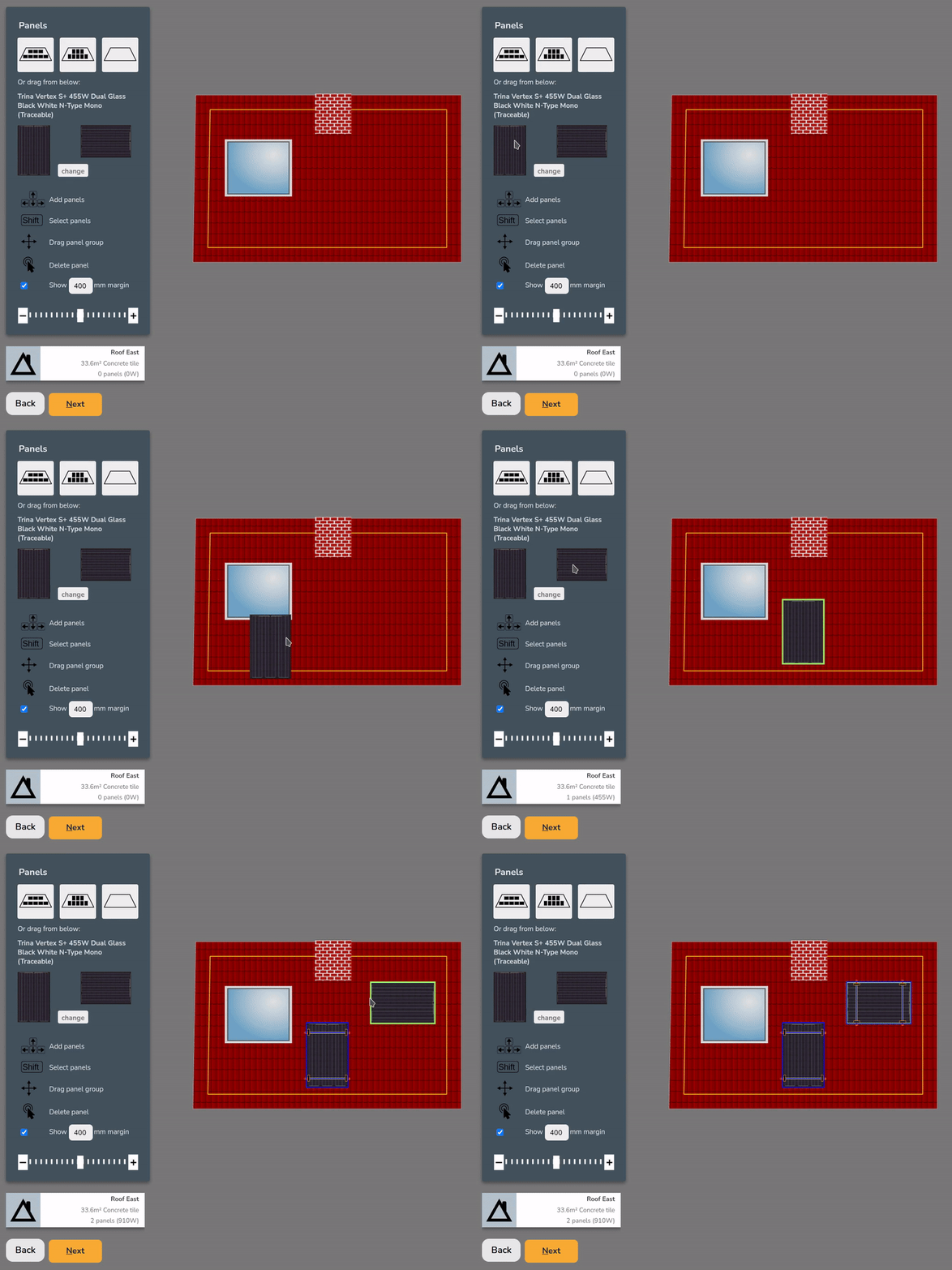](https://help.easy-pv.co.uk/uploads/images/gallery/2026-01/K5eLD2eIg5mlqBqD-simplescreenrecorder-2026-01-22-12-29-20-ezgif-com-video-to-gif-converter.gif) - [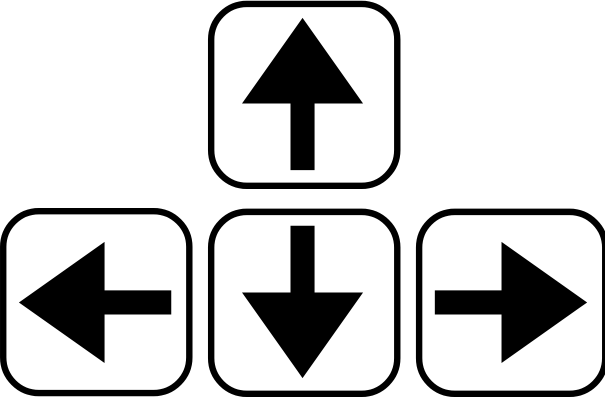](https://help.easy-pv.co.uk/uploads/images/gallery/2026-01/ZCGA3hL6k1hK3eMm-untitled-design-1.png) Click on a panel and use the **arrow keys** to add adjacent panels[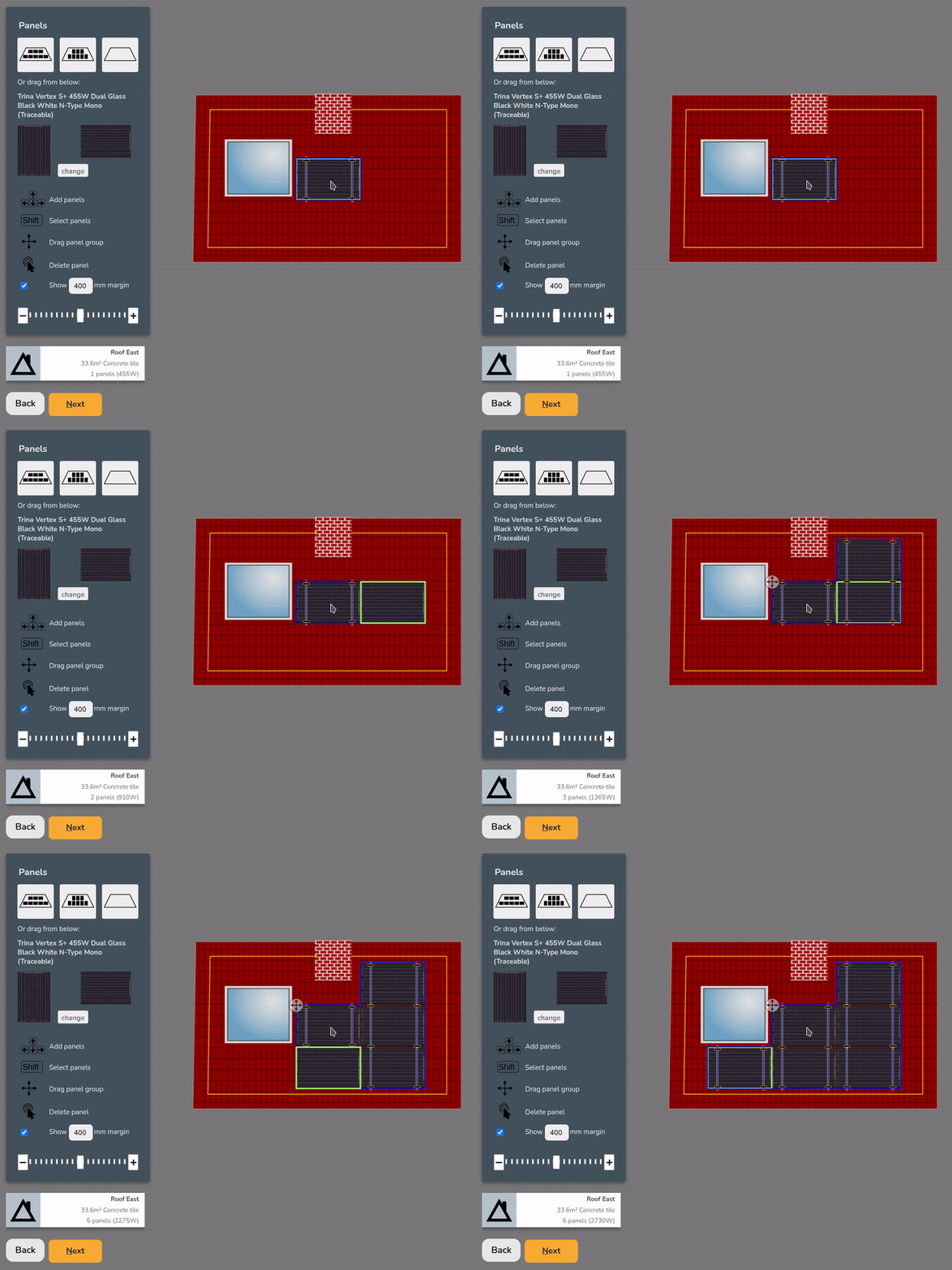](https://help.easy-pv.co.uk/uploads/images/gallery/2026-01/CDKdJWtTtpyzC6PO-simplescreenrecorder-2026-01-22-12-31-54-ezgif-com-video-to-gif-converter.gif) - Click **auto-fill** options to fill the roof with portrait or landscape panels [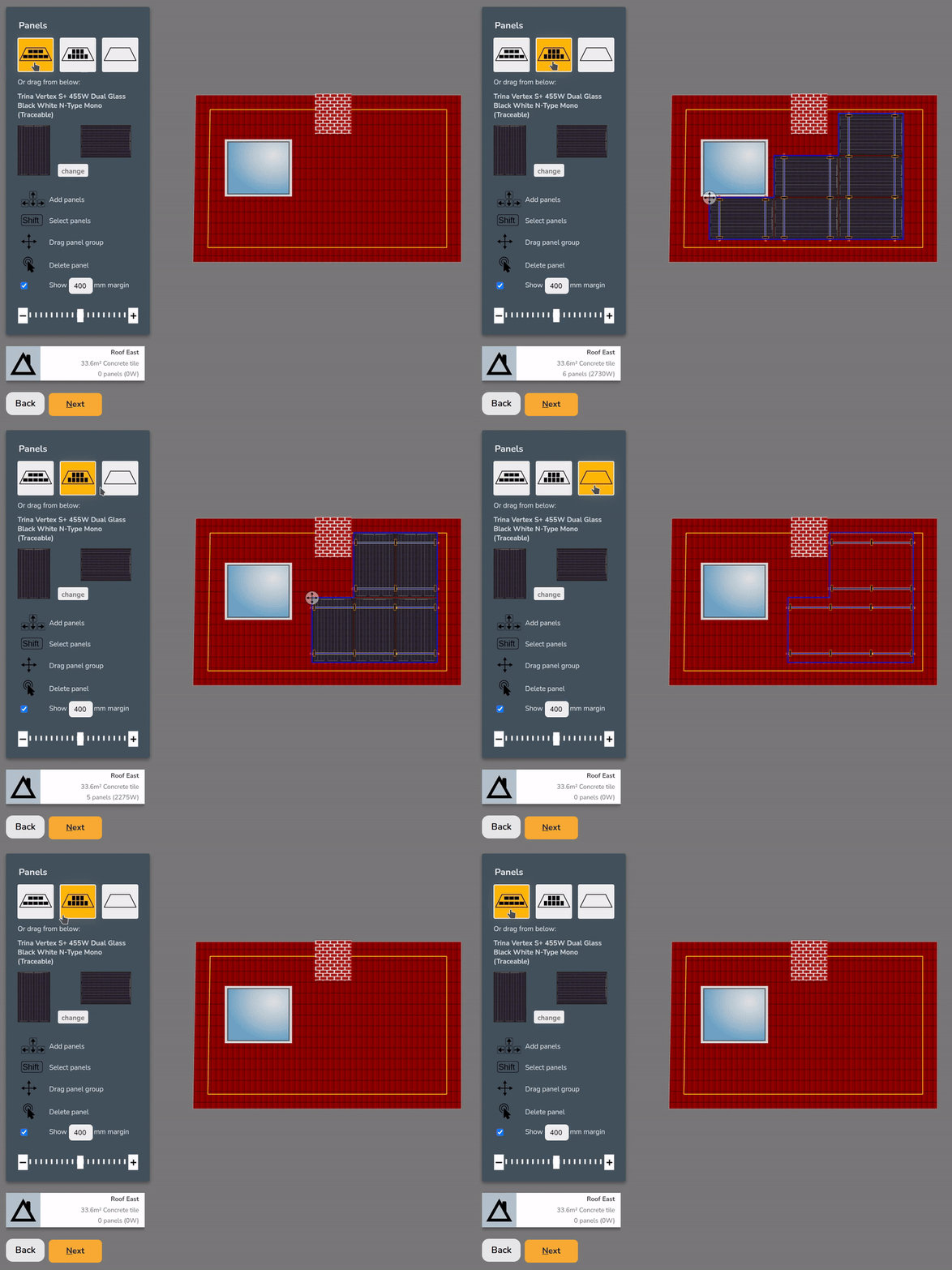](https://help.easy-pv.co.uk/uploads/images/gallery/2026-01/BolLoyFcxngxjbWB-simplescreenrecorder-2026-01-22-12-35-10-ezgif-com-video-to-gif-converter.gif)**Note**: Auto-fill options will avoid obstructions and place as many panels as possible within the configured margin.
### Remove panels To **remove** panels, you can: - **[](https://help.easy-pv.co.uk/uploads/images/gallery/2026-01/yFekT78Pc3EG2x9R-untitled-design-2.png)Double click** to remove an individual panel [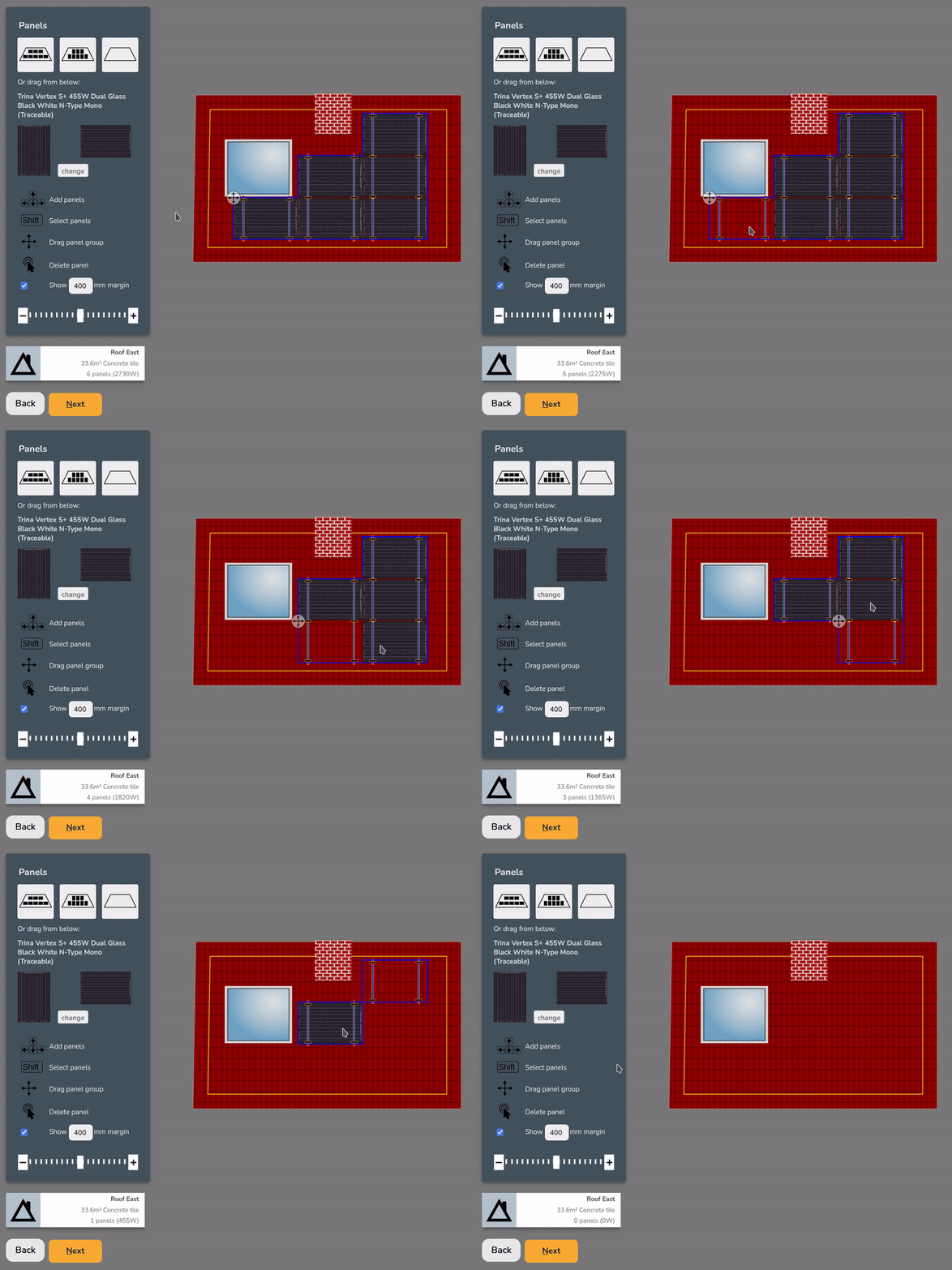](https://help.easy-pv.co.uk/uploads/images/gallery/2026-01/3uKXOkJspFTw9BI1-simplescreenrecorder-2026-01-22-12-44-54-ezgif-com-video-to-gif-converter.gif) - **`Shift` + `Click` + `Drag`** to select multiple panels and **`Delete`** or **`Backspace`** to remove[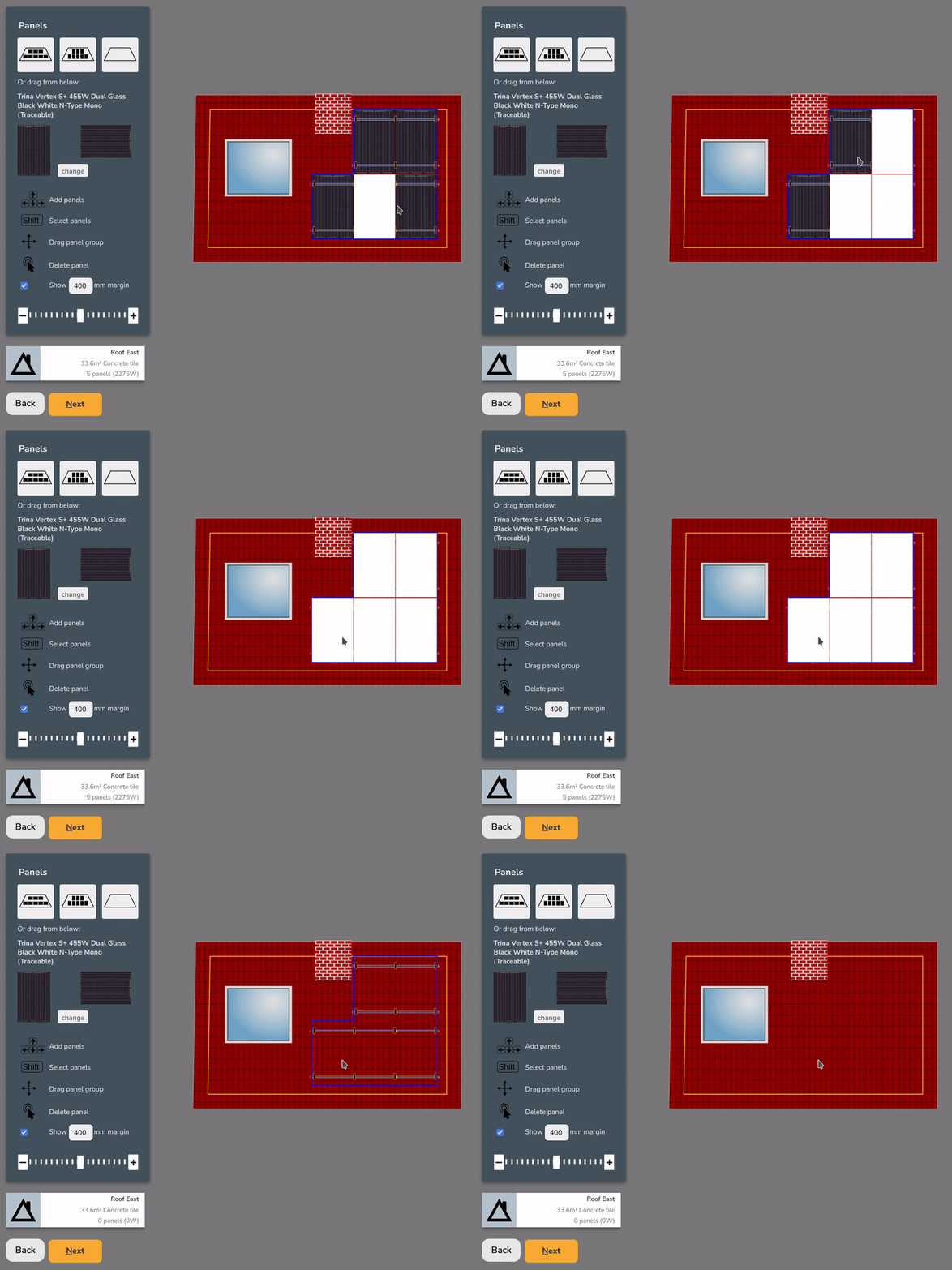](https://help.easy-pv.co.uk/uploads/images/gallery/2026-01/l0LjPHBR7YgvyIsc-simplescreenrecorder-2026-01-22-12-45-08-ezgif-com-video-to-gif-converter.gif) - Click the **clear roof** option to remove all the panels[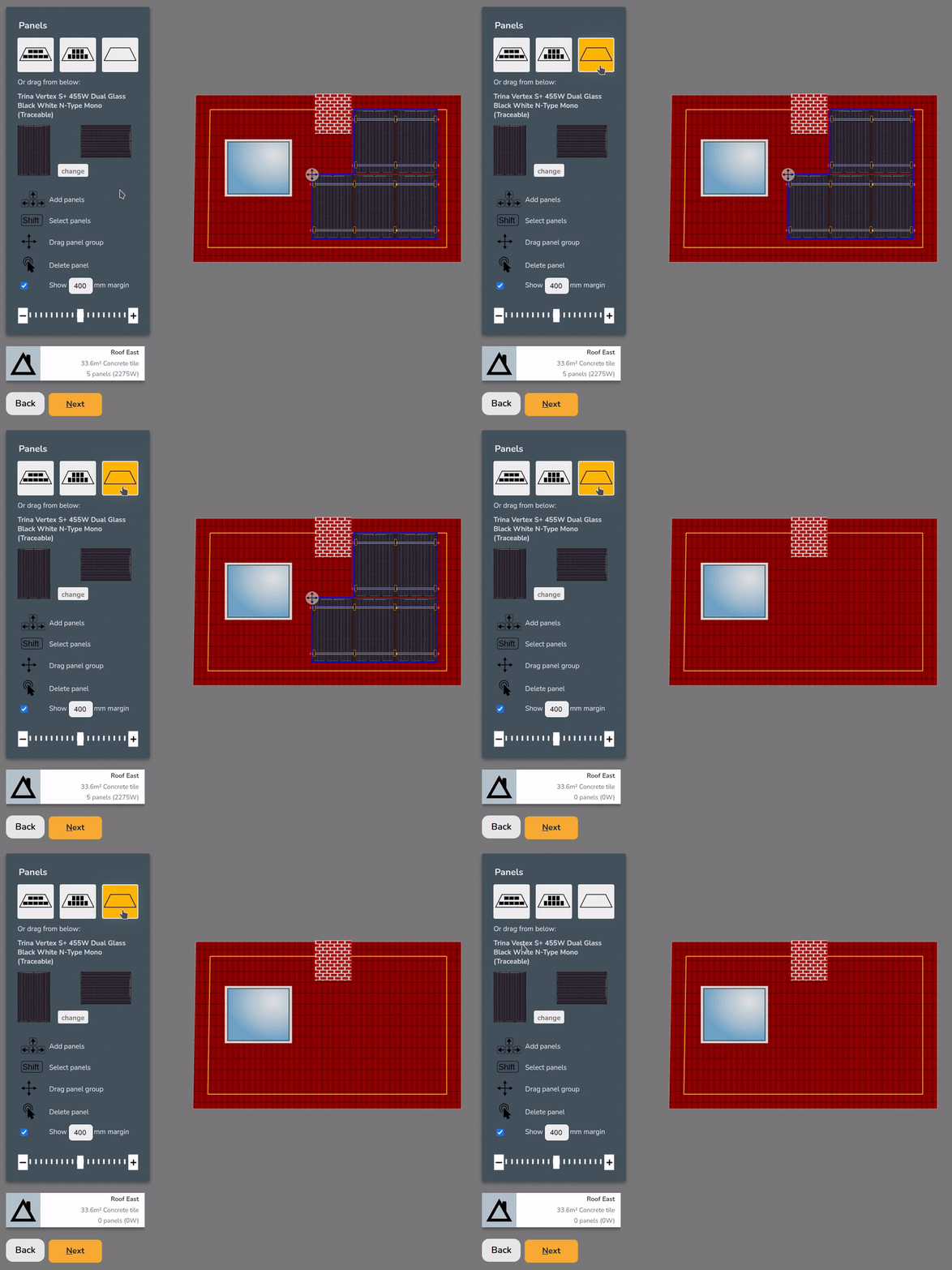](https://help.easy-pv.co.uk/uploads/images/gallery/2026-07/qJzMsjDly9YuKFR2-tpyio77jehpcr2b9-simplescreenrecorder-2026-01-22-13-13-53-ezgif-com-video-to-gif-converter.gif) ## Choosing a mounting system Once the roof has panels on it, you can choose from the available mounting options on the right. The mounting options displayed will be compatible with the **roof** and **panel** **size and layout**. When selected, Easy PV will specify the necessary mounting components. Depending on the mounting system, you may also have additional options to **configure the components** further (rail colour, preferred hook, bird blocker etc.). [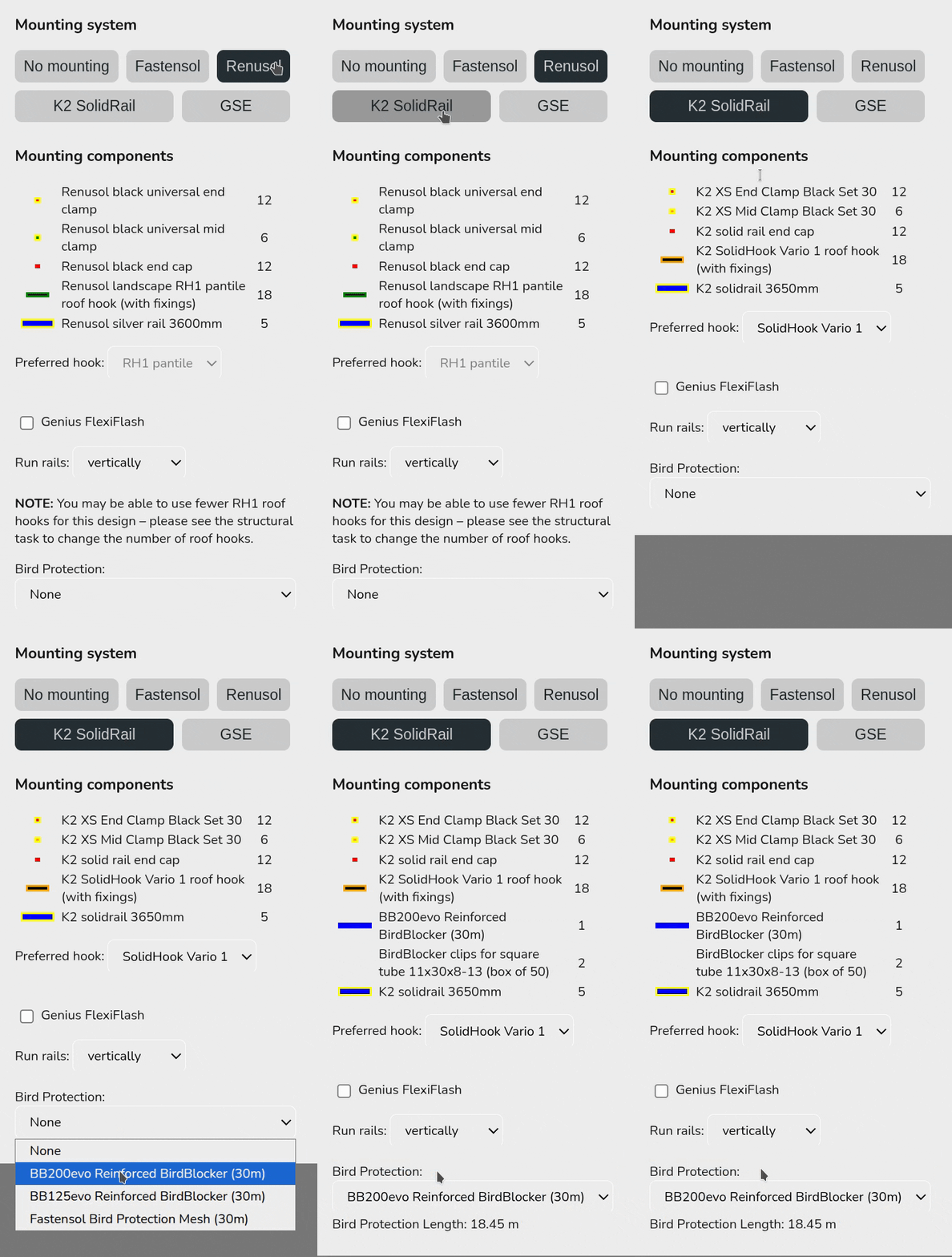](https://help.easy-pv.co.uk/uploads/images/gallery/2026-01/oO8mtIayHD9fAuYY-ezgif-com-optimize.gif)easy-pv.co.ukThis mounting kit list does not take into account structural considerations. Adjustments needed to the number of hooks can be calculated in the **structural task** (UK only) or otherwise.
If the mounting system you want to use is not available, select **`No mounting`**. For flat roofs, you will have additional options to [configure the panel layout](https://help.easy-pv.co.uk/books/faqs/page/how-can-i-model-an-east-west-panel-layout "How can I model an east-west panel layout?"), including east-west options. ## Multiple roofs Use the list on the left to navigate and configure the panel layout for each roof. [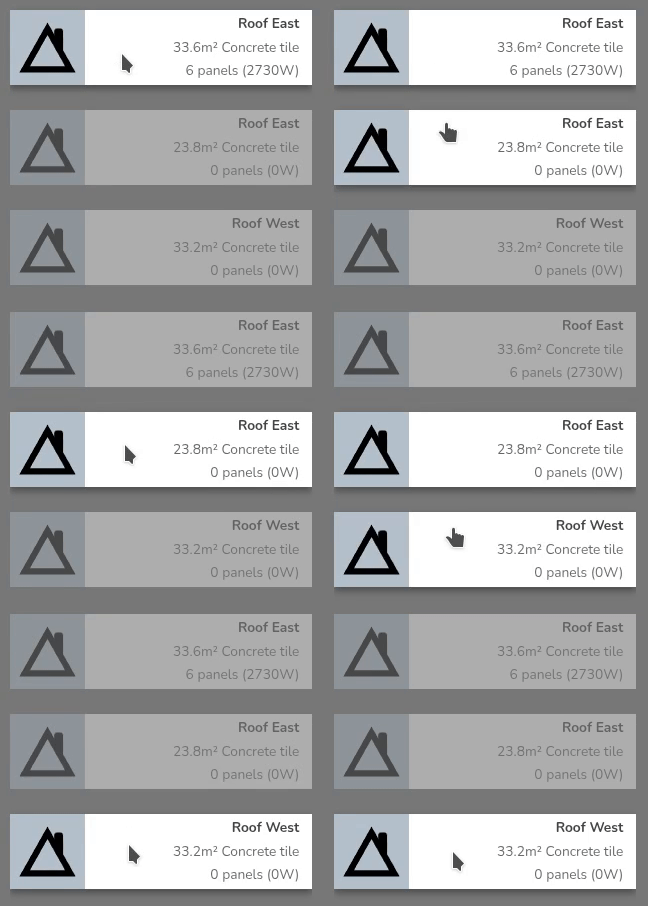](https://help.easy-pv.co.uk/uploads/images/gallery/2026-01/Yas89HaCY7aqI55Y-simplescreenrecorder-2026-01-22-13-25-31-ezgif-com-video-to-gif-converter.gif) Once all roofs are completed click `Next` onto the inverter task. --- ## Still Need Help? - **Related FAQs:** Check out our [Panels, Inverter and Electrical FAQs](https://help.easy-pv.co.uk/books/faqs/chapter/panels-inverter-and-electrical "Panels, inverter and electrical") for answers to common questions - **More guides**: Take a look at the [Inverter task](https://help.easy-pv.co.uk/books/panels-inverter-and-electrical/page/inverter-task "Inverter task") or [Electrical task](https://help.easy-pv.co.uk/books/panels-inverter-and-electrical/page/electrical-task "Electrical task") guides - **Live training:** [Book onto a live demo session](https://cal.com/easy-pv/easy-pv-free-training) to see this feature in action **Contact Support:** If you've got further questions, get in touch with our support team at **help@easy-pv.co.uk** (UK) or **help@easy-pv.ie** (IE). *If you are experiencing a bug, to help us look into your issue faster, please include the email address of your account, the name of the project and screenshots of any unexpected behaviour.*